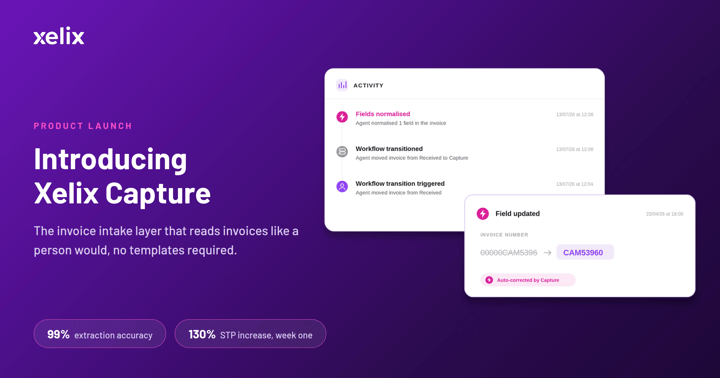
Capture is the invoice intake layer of Xelix. It reads every invoice in any layout, and pulls out the data your AP process runs on, with no templates to set up or maintain. Its agents take on the repetitive tasks your team shouldn’t have to keep doing manually.
In this series, we’re taking those tasks one at a time and showing how Capture handles each one by itself.
First up: filling in the invoice fields your OCR leaves blank.
Why invoice fields come back blank
Suppliers change their invoices all the time. They upgrade their billing system, rename a field or move it somewhere else on the page. The customer ID you relied on last month now appears as "Ref number", halfway down.
Template-based OCR can't keep up. It has been told what to look for and where to find it, so when the label or position changes, the field comes back blank. The invoice becomes an exception. Someone on your AP team opens the PDF, finds the value and keys it in. Next month the same supplier sends the same invoice, and it happens again.
You're not the only team dealing with this. 77% of organisations still enter invoices into their accounting systems manually (IFOL / SAP Concur, AP Automation Trends Report 2026). On average, 18.4% of invoices (nearly one in five) become an exception (Ardent Partners, State of ePayables 2025), and most of those start at intake. A field left blank there doesn't go away – it just reappears in the form of a matching or approval problem.
Show Capture once, and it remembers
Capture fixes this with agents. Think of an agent as a digital assistant for your AP team. It takes a task someone would otherwise do by hand and carries it out on every invoice it applies to. You set agents up in natural language, the way you’d brief a new team member, and decide whether each one applies to all suppliers, one company code or a single supplier. If you could write the instruction on a sticky note for a colleague, you can build an agent for it.
Filling in blank fields is even simpler, because you don’t need to write anything. Some suppliers label things their own way, and the knowledge of how to read them often sits with the one team member who has handled their invoices for years.
Capture's agents close that gap. If a field is still blank, you can simply point to the right value on the invoice once and select Apply and remember. From then on, Capture applies it to every invoice from that supplier. Now, the know-how that used to live in your team’s head, works for the whole team.
Let’s say your supplier's invoice arrives with a missing customer ID.
Here’s how Capture handles it:
- Capture flags the customer ID field because it couldn't find a value labelled that way
- Once clicked, the invoice opens so you can click straight on the value where it actually sits e.g. the “Ref number field”
- Capture shows what it has understood: "Ref number" is the customer ID for this supplier
- You select Apply and remember
- The value is pulled into the platform, and that exception won't come back for this supplier
That’s one blank field filled, and every invoice from that supplier after it fills itself. The same works for any field a supplier labels their own way, at header or line-item level. Maybe a PO number printed as “Order ref”, a VAT number listed under “Tax ID”, a delivery date shown as “Dispatched”, or a cost centre tucked into the line description.
There’s no template to rebuild and no IT ticket to raise, teach Capture what the label refers to and it’ll take it from there.
See the agent in action
Watch what happens when you teach Capture that one supplier's "Ref number" is your customer ID, and see the exception disappear.
Fix intake, and STP follows
Blank fields aren't an edge case. With nearly one in five invoices becoming an exception, they're a daily cost of an intake process that can't keep up with your suppliers. Each agent you teach fixes the process itself, not just one invoice. It applies to every invoice that follows, so exceptions fall across your whole supplier base and your team stops fixing the same problems by hand.
Here's what that means for AP teams:
- Accurate data from the start: 99% extraction accuracy at header and line level, with agents filling in whatever is still missing.
- Fewer repeat exceptions: you fix a field once per supplier, not once per invoice.
- Less manual keying: your team spends its time on work that needs their judgement.
- You stay in control: you teach the system, then it acts. Plus, every action, by a person or an agent, is logged so you can trace it.
- Cleaner data downstream: Capture works ahead of the ERP you already run, so matching, approval and posting start from complete invoices.
The impact can show up quickly. One customer's straight-through processing (STP) rate more than doubled in the first week after going live with Capture, from 30% to 69%, because fixing intake lays the foundation for higher STP rates.