Every Accounts Payable team knows about the invoice that won’t behave. The PO number’s missing, the price doesn’t match or the goods receipt hasn’t landed yet, so it sits in a queue waiting for someone to investigate.
That’s an invoice exception: a supplier invoice that is flagged for failing a matching or validation check and is held back from payment until the issue is resolved, meaning they can’t be processed automatically. Ardent Partners puts the average exception rate at 19.9%, so roughly one invoice in five needs a human which means they create a disproportionate amount of work for Accounts Payable (AP) teams.
Invoice exception management is how you classify, route and resolve those exceptions quickly. Better still, it’s how you stop them happening in the first place. An invoice becomes an exception when it can’t be processed automatically because something doesn’t match or key information is missing.
Effective invoice exception management takes a prevention-first approach. It identifies the root causes of exceptions and addresses them where they start. That way, AP teams can focus on higher-value work.
What is invoice exception management?
Invoice exception management is the process of identifying, routing, resolving and preventing flagged supplier invoices within the AP stage of the procure-to-pay process.
Invoice exception management has two main priorities. The first is resolving exceptions quickly, so they don’t create bottlenecks and suppliers are paid on time. The second is reducing exception volumes by identifying their root causes and putting measures in place to address them.
Although the terms are often used interchangeably, invoice exceptions and discrepancies are not the same. An exception is any invoice held for investigation, whereas a discrepancy is a specific type of exception caused by mismatched data.
The most common types of invoice exception
Below, we’ve listed the most common types of invoice exception.
Individually, these are simple to fix, but investigating the cause in the first place is the time-consuming part.
Missing or invalid PO numbers
Invoices raised against a PO need to be matched before they can be approved. If a PO number is missing, invalid or unreadable, the invoice can be flagged as an exception.
Common causes include a supplier omitting the PO number or quoting it in a format that is misread by template-based optical character recognition (OCR). Similarly, if a PO is closed before an invoice arrives, the invoice can be flagged as an exception.
Price and quantity mismatches (2-way and 3-way match failures)
When the price or quantity on an invoice doesn’t match the information listed on the PO, the invoice can be flagged as an exception.
2-way matching is the simplest form of PO matching, where the invoice is checked against the PO only and fails if the invoiced price or quantity differs from what was ordered. With 3-way matching, the goods receipt is checked too, so a 3-way match also fails if the items delivered don’t agree with the invoice.
Tolerances allow approvals for minor variations in price or quantity, but overly tight tolerances can inflate invoice matching exceptions, leaving AP teams chasing variances worth less than the time it takes to resolve them.
Missing goods receipts
If a warehouse or receiving team forgets to record a goods receipt note (GRN), or records it late, the invoice can be flagged as a false exception. In these cases, the documents themselves may be correct, but the timing is out of sync.
GRNs are only used in 3-way and 4-way matching. If the invoice arrives before the GRN is recorded, the match fails and the invoice is held as an exception.
Duplicate invoices
If invoices are suspected to be duplicates, they are flagged and held to prevent duplicate payments.
Duplicates often occur when a supplier resends an invoice as a reminder or through a second channel. They can also arise when the same invoice is mistakenly keyed in twice or when a corrected invoice is paid without the original being credited.
Native ERP checks can let duplicates slip through. Many only flag an invoice when key fields, such as the invoice number, match exactly.
As a result, a variation in supplier name or invoice number, or a missing date, can go undetected and result in an overpayment.
Conversely, broader rules that match on supplier and amount alone can create false exceptions by flagging legitimate invoices that look alike, such as recurring monthly charges.
With our Transactions module, Xelix reads invoices in context and in real time. We analyse over 500 data points per invoice to flag duplicates and overpayment risks before the pay run.
Tax and VAT discrepancies
Tax and VAT discrepancies can arise when a supplier applies the wrong VAT rate, calculates VAT or sales tax incorrectly or omits or misquotes its VAT number.
HMRC sets out the details a VAT invoice must include, and VAT invoices are the main evidence a business needs to recover input VAT. This means invoices that don’t meet these requirements are held as exceptions until the supplier issues a corrected invoice or the discrepancy is resolved.
Supplier data and bank detail mismatches
If the details on a supplier’s invoice, such as the name, address or VAT number, differ from your vendor master data, the invoice will often be flagged as an exception.
This could be due to the supplier sending incorrect information or issues with vendor data entry at intake.
Bank detail changes are more serious. They’re a common sign of invoice fraud, where a fraudster impersonates a genuine supplier. Any change should be treated as a fraud risk and investigated by confirming with the supplier using contact details you already hold before the record is updated.
What causes invoice exceptions?
Invoice exception handling involves flagging and resolving each specific issue, but this won’t prevent the same exception recurring. For a long-term solution, AP teams also need to identify the root cause and introduce a targeted process to address it.
The main root causes of invoice exceptions are weak PO and receiving discipline, supplier invoicing behaviour, tolerances set too tight and, often, errors in invoice data extraction and vendor master data.
Invoice extraction and data capture errors
Many false exceptions in AP arise during invoice intake and extraction.
These occur when invoice data is keyed incorrectly or misread by template-based OCR during invoice capture. In these cases, the invoice and documents received are accurate, but the captured data doesn’t match the PO or vendor record, creating an exception.
Template- and rule-based OCR relies on fixed invoice formats. When a supplier changes its invoice layout, fields are often misread.
It can also struggle with multi-page invoices and poor-quality scans, and if it captures only totals rather than line items, line-level matching can fail. In each case, the result is a false exception.
These data errors appear as genuine discrepancies, meaning AP teams often chase suppliers over issues created internally, which can strain supplier relationships.
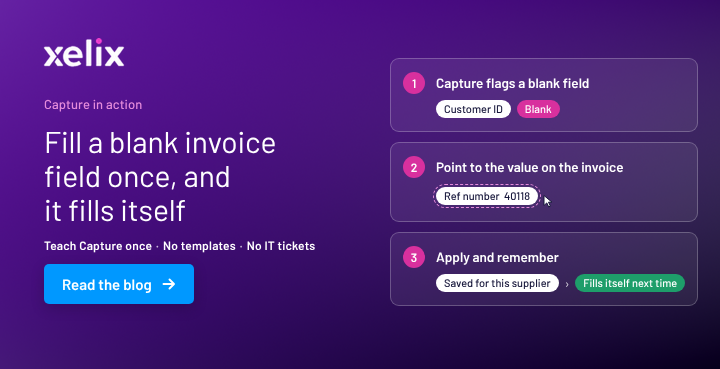
Moving from template-based OCR to AI invoice capture is designed to prevent these false exceptions. Rather than relying on templates, AI capture reads invoices in context and extracts header and line-item data in any layout.
The cost of invoice exceptions
Invoice exceptions are a common AP problem, costing businesses in AP time, money and supplier relationships.
These costs are easy to underestimate, but each exception pulls AP teams away from routine processing to investigate, chase and resolve it. Across hundreds of invoices a month, this adds up quickly.
According to Ardent Partners’ AP Metrics that Matter in 2026 report, the average cost to process a single invoice is $9.90, and the average invoice cycle time is 11.6 days.
The same research puts the average invoice exception rate at 19.9%, with each exception requiring manual handling before it can be paid.
As an illustrative example, take an AP team processing 1,000 invoices a month at a 20% exception rate, with each exception taking 30 minutes of hands-on work:
1,000 invoices × 20% = 200 exceptions
200 exceptions × 30 minutes = 6,000 minutes
6,000 minutes ÷ 60 = 100 hours of AP time every month
Exceptions can also lead to penalties and missed discounts. An invoice held past its due date may incur late-payment interest, and early-payment discounts are lost if the invoice isn’t approved in time.
Exceptions can also strain supplier relationships. When suppliers are forced to repeatedly chase payments, the friction can impact the wider business.
The most effective way to reduce these costs is to prevent exceptions at the source. Ensuring accurate invoice capture at intake, clean vendor data and well-balanced tolerances can all lower exception rates.
For exceptions that still occur, putting a consistent workflow in place helps AP teams resolve each one as efficiently as possible.
How to build an invoice exception handling workflow
To help AP teams manage invoice exception handling efficiently, businesses should introduce a workflow that sets out the key steps from detection to resolution.
A defined workflow aims to ensure every exception is handled consistently and also builds a record of root causes.
The five steps listed below form the basis of an effective invoice exception handling workflow.
Classify → Route to owner → SLA and ageing → Escalate → Resolve
- Classify: Tag every exception with a reason code that shows its cause, such as ‘missing PO’, ‘VAT error’ or ‘duplicate’. Consistent codes help identify the most common exception causes and allow AP teams to prioritise exceptions by type, urgency or value.
- Route to owner: Not every exception can be resolved by AP. Once it has been classified, forward it to the correct owner. Depending on the type, it may need to go to the buyer, the receiving team, the tax team or the supplier. For instance, a missing GRN sits with the warehouse or receiving team, so the issue will need to be routed to them.
- SLA and ageing: Set a service level agreement (SLA), or target time limit, for resolving each type of exception. Additionally, create an ageing report to show how long each exception has been held and how close it is to its due date. Reviewing this report regularly helps AP teams prioritise exceptions strategically and avoid late-payment interest.
- Escalate: Define what actions should be taken if an SLA is breached or an invoice exceeds a set value threshold. For instance, the exception might be passed to a manager or budget holder.
- Resolve: Apply the appropriate fix and close the exception. This might be a credit note from the supplier, an amended PO, a recorded GRN or a correction to vendor master data. Once you are aware of the root cause, record this to aid long-term prevention.
How to reduce invoice exception rates
Reducing invoice exception rates involves two strategies. The first is prevention: fixing the main root causes in order, starting where most problems begin. The second is tracking and reporting, which shows where issues are concentrated so you can target the biggest sources first.
The first step is often improving invoice capture at intake. Data capture errors are one of the most common causes of false exceptions. Replacing strict template-based OCR with AI capture software can reduce misreads.
Captured data can only match correctly if the records it’s compared against are accurate. Once your data intake process is improved, it’s then crucial to keep your vendor master data accurate and up to date, with every change controlled and verified.
With intake and master data in place, tighten PO and receiving discipline by requiring a PO for every purchase and recording GRNs promptly. Clear communication with suppliers about what each invoice must include also means AP teams spend less time chasing missing information.
Finally, review your tolerances and ensure they’re well-balanced. Price and quantity tolerances should vary by purchase category and be based on existing exception data to make sure they are neither too loose nor too strict.
Alongside prevention, track your exception rate by type and root cause, as well as your straight-through processing (STP) rate. Regular reporting reveals where most problems originate, so you can target the largest categories first.
Improve invoice data extraction at intake
A key part of improving invoice data extraction at intake is using automation to increase extraction accuracy and reduce manual work for AP teams.
AI-native capture acts as an agentic invoice intake layer. It reads invoices in any layout, in context, then validates and corrects the extracted data before it reaches the ERP.
Find out more in What is invoice intelligence?
See how Xelix Capture works
Xelix Capture is our invoice intake layer. It extracts, validates and corrects invoice data before it reaches the ERP, with 99% extraction accuracy.
Explore what Capture does in practice, how it differs from template-based OCR and how it can fit into your business’s AP process.
Download product data sheet
Manual vs automated exception management
Many AP teams still manage and resolve exceptions manually. Invoice exception handling automation and AI in Accounts Payable can help catch issues faster and reduce recurring exceptions, giving AP teams more time for higher-value work.
The table below outlines how each stage of exception management is handled manually compared with using automation software.
| Stage |
Manual |
Automated |
| Detection |
Found during keying or matching |
Flagged at intake |
| Classification |
Free-text notes or not recorded at all |
Consistent reason codes |
| Routing |
Emails and spreadsheets |
Rules-based routing to the right owner |
| Ageing visibility |
Spreadsheets updated by people |
Live SLA tracking |
| Resolution |
All by people |
AI agents resolve routine exceptions; people handle genuine disputes |
| Root-cause tracking |
Rarely recorded |
Recorded automatically and visible in reports |
| Supplier queries |
Emails to a shared AP inbox |
Helpdesk where suppliers can check invoice status |